
نبذة
A simple and cute events bot
Features
- A simple, easy to use, user interface
- Recurring events
- Easy setup
- Notifications when events start
- Cute emojis!
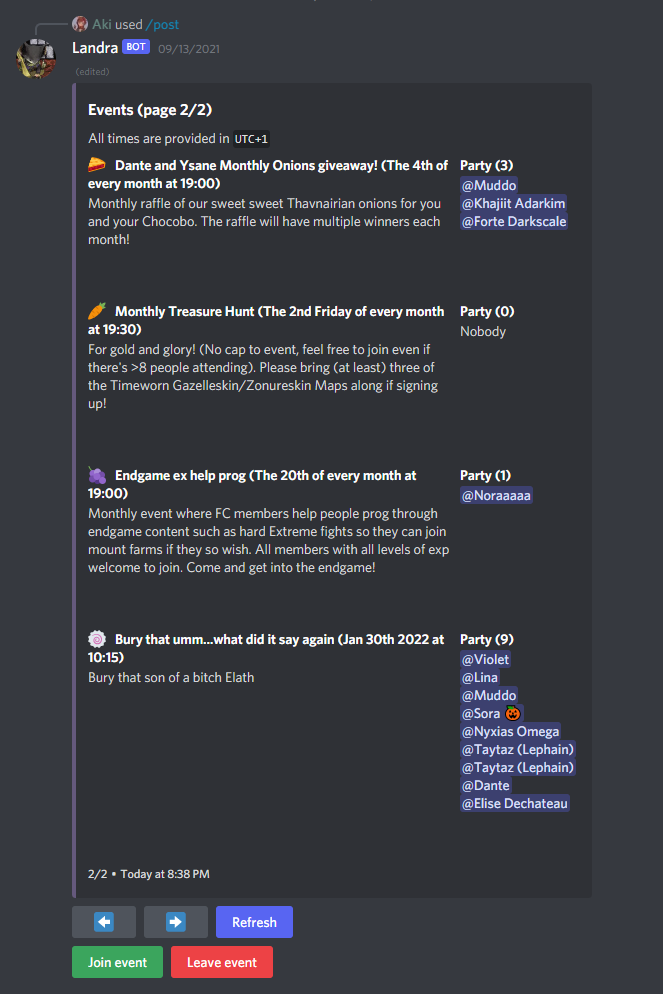
Event list
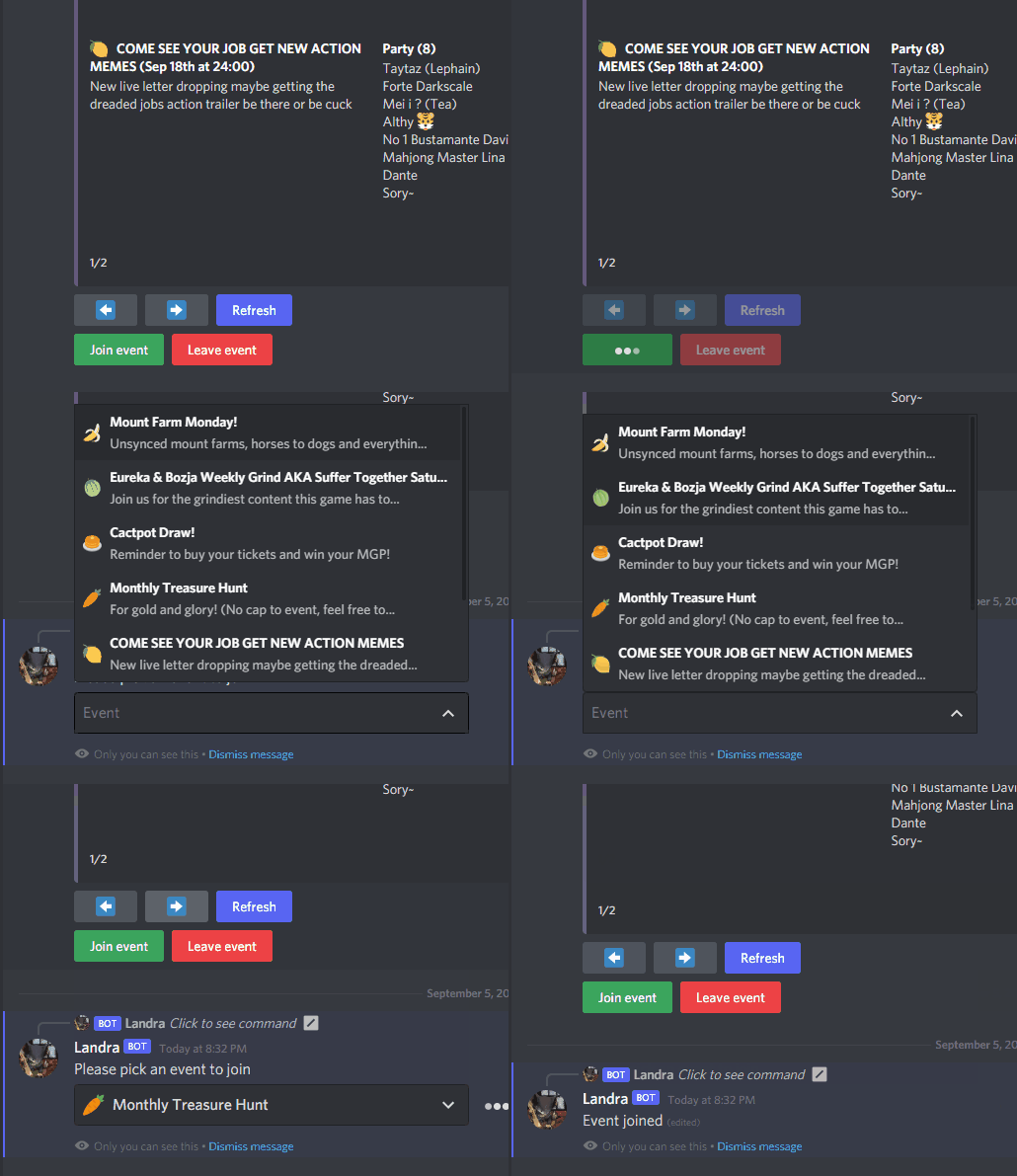
Joining an event
Notifications

Getting started
After inviting Landra to your guild, run
/post
which will post a list of all scheduled events. Members can interact with this list to join and leave events.
You can configure which roles can manage events and which channels will receive event notifications with the /config command.
Commands
Here is a list of all available commands. All commands are availabel to members with the Administrator permission. The following commands are available to roles that have been configured to manage events:
/post/schedule/remove/update/announce
Arguments
Command arguments are denoted argument:.
All arguments that come before the | symnol are required, the ones after are optional.
Post
This command posts the events list. This will be the primary way members interact with the bot.
Usage
/post
The buttons on this list allows members to join and leave events as well as refresh the list and change pages.
Schedule
This command schedules new events.
Usage
/schedule name: date: description: | recurring:
nameis the name for the event.dateis when the event will first take place. The date format isYYYY/MM/DD hh:mm.descriptionis the description for the event.recurringdictates how often the event should repeat. If this argument is not supplied, the event will only happen once.
Note
You will have to refresh the events list to see the new event.
Remove
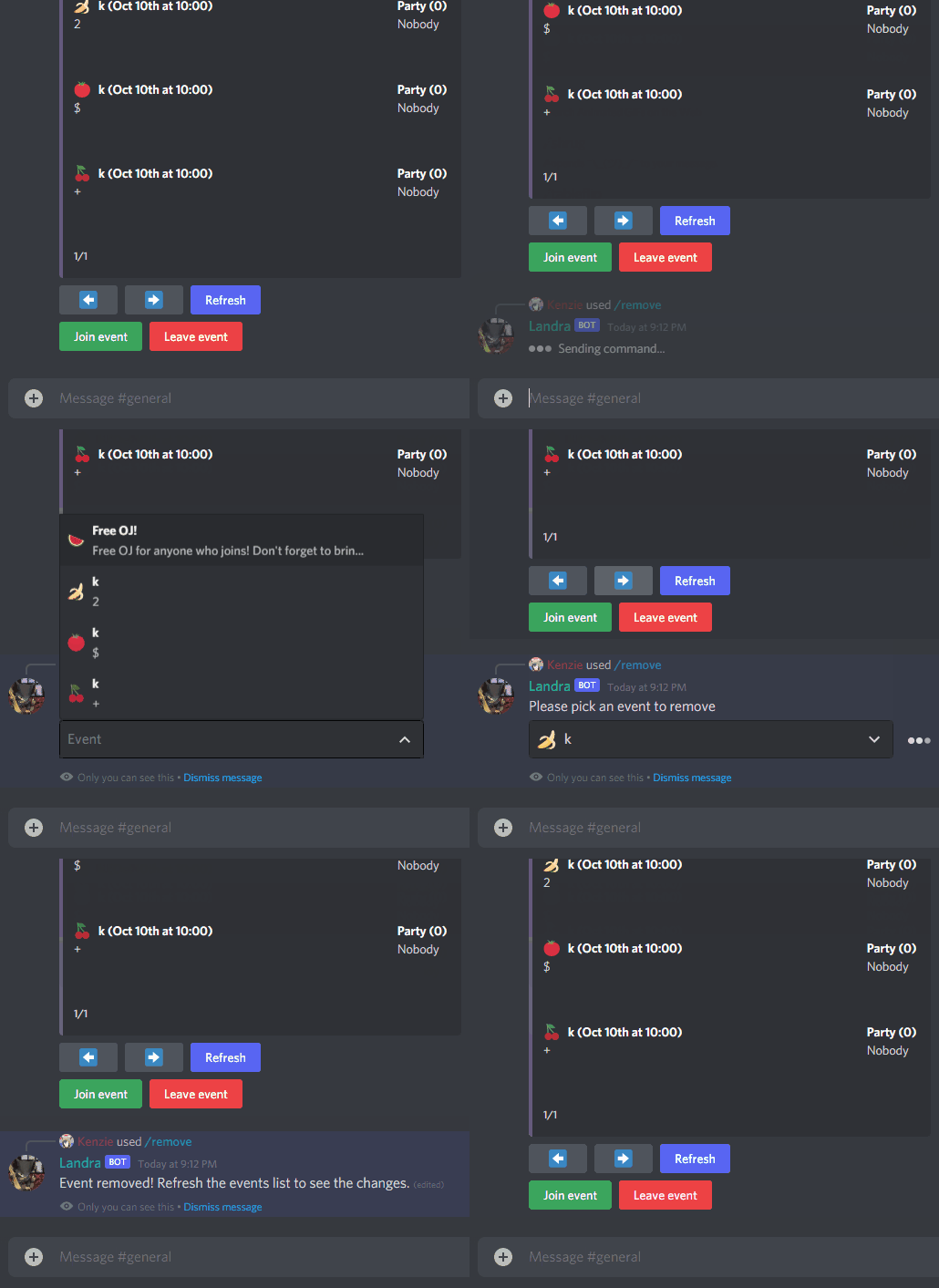
This command removes an event.
Usage
/remove
Once executed, the bot will give you a list of events that are available to remove.
Note
You will have to refresh the events list to see the new event.
Update
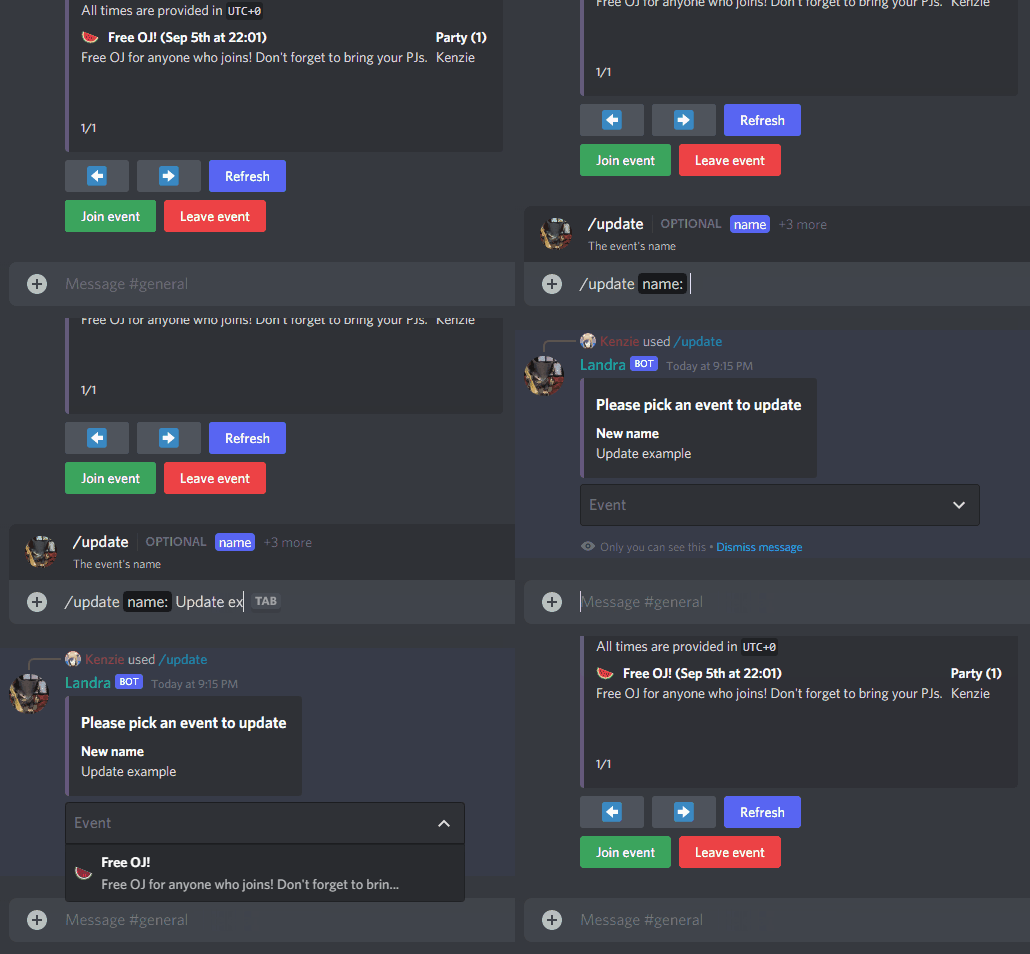
This command allows you to update an event's description, name, date or change how often it recurs.
Usage
/update | name: description: date: recurring:
nameis the name for the eventdateis when the event will first take place. The date format isYYYY/MM/DD hh:mmdescriptionis the description for the eventrecurringdictates how often the event should repeat. If this argument is not supplied, the event will only happen once.
Once you have executed the command, the bot will let you pick which event you want to apply the changes to.
Note
You will have to refresh the events list to see the new event.
Purge
This command will remove you from all events scheduled with this bot.
Usage
/purge
Note
This command will erase all your entries in the bot's database. This will affect events in ALL GUILDS!
Announce
This command will post an announcement widget in the current channel where users can join the event if they wish.
Usage
/announce | message:
messageis an optional message to include with the announcement.
Config print
This command prints the current configuration for the guild.
Usage
/config print
Note
This command is only available to members with the Administrator permission.
Config channel
This command configures which channels receive event and daily notifications.
Usage
/config channel action: channel: type:
actionwhether to set or unset the channel type.channelthe channel to configure.typea choice of daily notifications or event notifications.
Daily notifications
Daily notifications are an overview of of which events are happening that day. Daily notifications are posted every morning at 10:00.
Event notifications
Event notifications are posted an hour before and when events are scheduled to happen.
Note
This command is only available to members with the Administrator permission.
Config role
This command configures which roles can execute the /schedule, /update and /remove commands.
Usage
/config role action: role:
actionwhether to allow or disallow the role to manage events.rolethe role to configure
Note
This command is only available to members with the Administrator permission.
Config time
This command configures the guild's time offset. (e.g. UTC+5)
/config time offset:
offsetis the time offset to set for your guild
Note
This command is only available to members with the Administrator permission.
اللغات
- English
المراجعات
تسجيل الدخول — سجّل الدخول لكتابة مراجعة.
لا مراجعات بعد — كن أول من يشارك تجربته.
إحصائيات التصويت
مُسجَّلة على هذا الدليل خلال آخر 30 يومًا.
آخر 30 يومًا
- التصويتات
لا تصويتات هنا خلال آخر 30 يومًا.


