
Tungkol
Free and open source Discord bot made to /thank others and reward that appreciation. beautifully translated to 3 languages.

Appreciation-bot
Free and open source Discord bot made to show appreciation to others and reward said appreciation. Beautifully translated to 3 languages.
Add to your server, Build Instructions
Features
- [x] Language support for English, Turkish, Japanese
- [ ] Language support for Korean, German and Spanish
- [x] Customisable role rewards
- [x] Admin commands (
/set,/set-cooldown) - [x] Customisable cooldowns
Table of Contents
- Appreciation-bot
- Check out other languages
- Features
- Table of Contents
- Commands
/thank/info ?/rewards/leaderboard ?/set-thanks/set-cooldown/add-role-reward/remove-role-reward- Build
- License
Commands
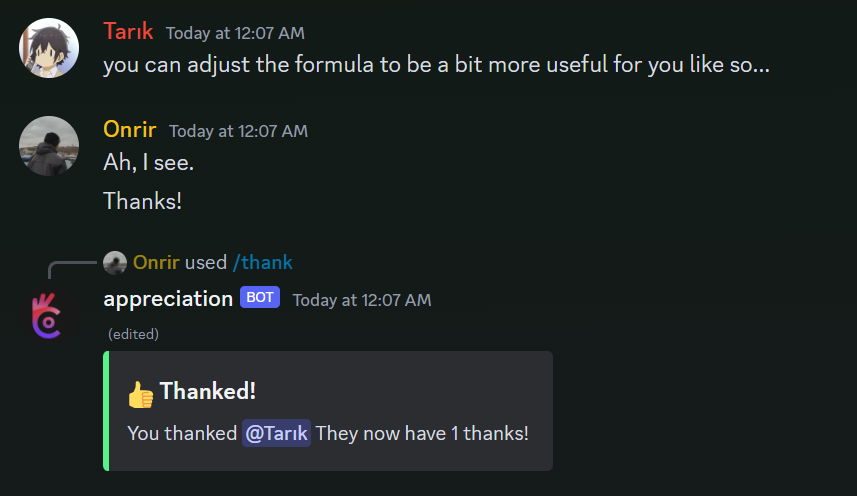
/thank
thanks the given user, adds 1 point to their score and gives them a role if role rewards are set and they have enough points.
Shows the cooldown if the user is on cooldown.
/info ?
Shows the score of the given user, if no user is given, shows the score of the user who sent the command.
/rewards
Shows the role rewards set for the server.
/leaderboard ?
Displays the leaderboard for the current server, amount is optional and specificies the amount of users to display.
/set-thanks
Sets the score of the given user to the given amount.
/set-cooldown
Sets the cooldown of the server to the given amount.
/add-role-reward
Adds a role reward to the server, if the role reward already exists, adds the given amount to the existing amount.
/remove-role-reward
Removes the given role reward from the server.
Build
- Clone the repository
$ git clone https://github.com/onrirr/appreciation-bot
- Install dependencies with
npm install
$ npm install
- Create a
.configfile - Add your bot token to the .config file like so
token = XXXXXXX_xXXXXX_xXX_xXXXXXXXXXXXXX
- Run the bot with
npm start
$ npm run start
- Invite the bot to your server and enjoy!
License
This project is licensed under the MIT License - see the LICENSE file for details
Mga wika
- 日本語
Mga Review
Mag-log in — Mag-sign in para sumulat ng review.
Wala pang review — maging una sa pagbabahagi ng karanasan mo.
Stats ng boto
Naitala sa directory na ito sa nakaraang 30 araw.
Huling 30 araw
- Mga boto
Walang boto dito sa huling 30 araw.