
Tungkol
🦈 Shuffle up and deal! Poker, Spades, Hearts, Bid Whist & more, played live inside Discord. Bots fill empty seats. Free chips. ♠️♥️♦️♣️

🦈 CardShark: card games played live inside Discord
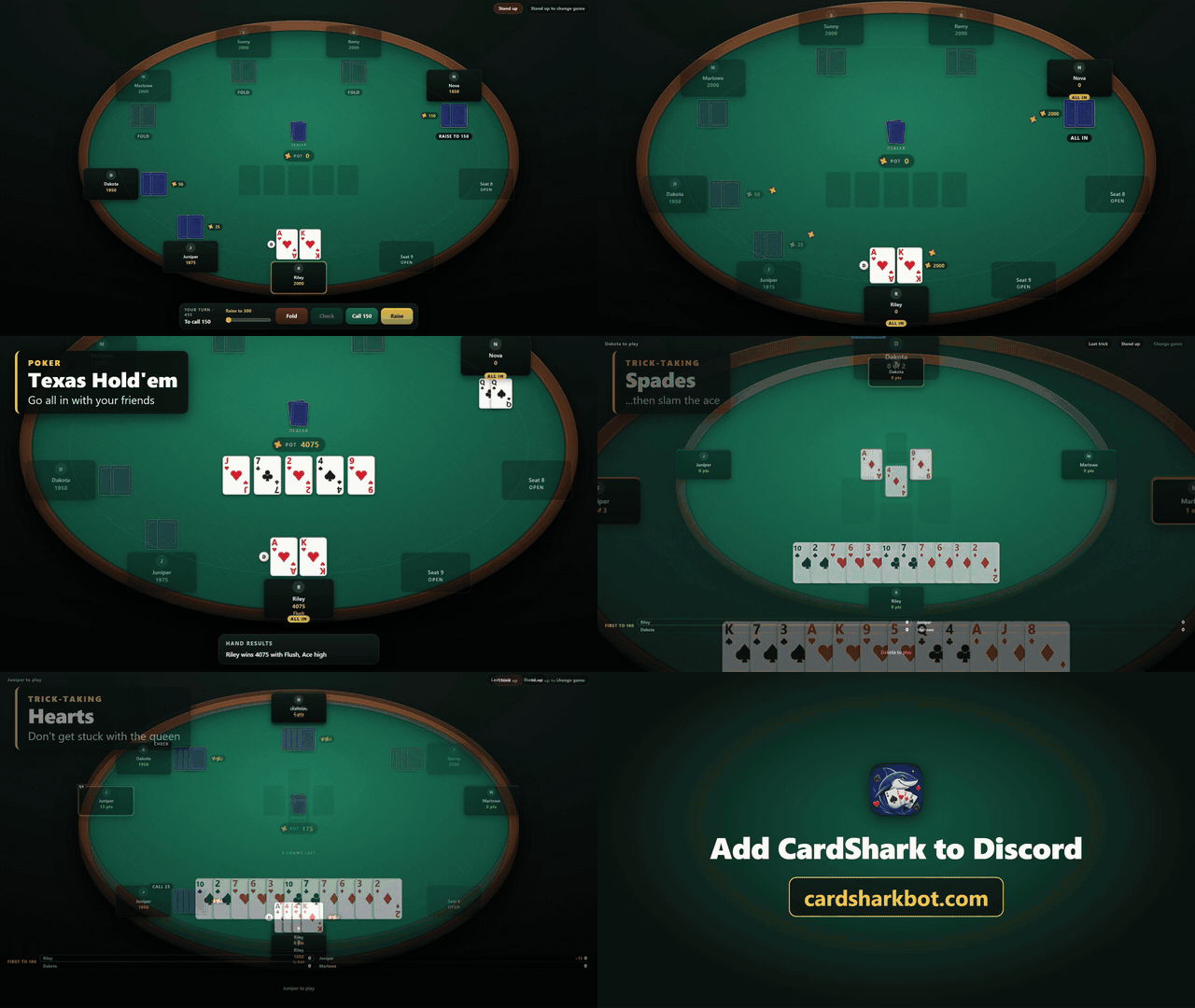
Open a real card table right inside Discord, invite your friends, and play. 🃏 No website to visit, no account to make, nothing to buy. Twelve games in the CardShark Activity, all fourteen games as slash commands in chat if you'd rather play there, and 🤖 computer players whenever you're short a seat.
🎮 The CardShark Activity: a live table in Discord
The Activity is a full game table that opens inside Discord itself, on your 💻 computer or your 📱 phone. Cards are dealt, chips slide across the felt, and everyone in the channel can join the same table.
🃏 Twelve games
- ♠️ Poker: Texas Hold'em, Omaha, Omaha Hi/Lo, Badugi, Five-Card Draw, Seven-Card Stud, Razz and Five-Card Stud
- ♥️ Trick-taking: Spades, Hearts, Bid Whist and Pinochle
🚀 How to start a game
- ➕ Add CardShark to your server with the Invite button on this page.
- 🖱️ In any channel, click the Apps button in the message bar, choose CardShark, then Launch. 📱 On a phone, press and hold the + button, then tap Apps.
- 🪑 Pick a game and sit down. Friends in the channel tap Join to play with you.
🎬 A one-minute video shows every step: https://cardsharkbot.com/how-to-play
⭐ Why it's fun
- 🤖 Bots fill the empty seats. Play alone to learn a game, or with friends and let the bots make up the numbers.
- 🪙 Practice or play for chips. Poker tables with bots are practice tables, with no chips at stake. Sit down with only real people and you play for your server's play-money chips.
- 💥 Made for card players. Real side pots, split high/low pots, Spades nil bids, the ace of spades slamming down, the queen of spades landing on someone's trick. 🔒 Your cards stay private: nobody else ever sees them.
- 📱 Desktop and phone. The table fits Discord's window, side panel or full screen, and phones in portrait or landscape.
🛠️ "Failed to launch: you do not have permission to use activities"? A server admin needs to turn on Use Activities for your role (Server Settings → Roles), and check the channel's own permissions. Run /activity_check and CardShark lists every channel where Activities are blocked.
💬 Prefer it in chat? Slash-command games
Every game also runs on a rendered table posted right in the channel, with buttons to play and your hand sent to you privately. Fourteen games:
- ♠️ Poker:
/poker(Texas Hold'em),/omaha,/omaha_hilo,/five_card_draw,/badugi,/five_card_stud,/seven_card_stud,/razz - ♥️ Trick-taking:
/spades,/hearts,/bid_whist,/pinochle - 🎲 Other:
/go_fish🐟 and/pai_gow
🔘 Buttons, not typing: fold, call, raise, bid and play with one tap, with ⏱️ turn timers and an Extra Time button when you need a minute.
🏆 Chips, leaderboards and more
- 🪙 Play-money chips, per server.
/dailygives you 1,000 chips,/balanceshows where you stand and/leaderboardranks your server. Nothing can be bought, sold or cashed out. - 📺 Showcase channel. Admins can run
/showcase onin a channel and the bots play every game back to back, so newcomers can watch before they sit down. - 💡 Quiet when you want it. Now and then a short tip shows under a finished game; admins can turn it off with
/tips.
🔐 Permissions
The bot needs: View Channel, Send Messages, Embed Links, Attach Files, Read Message History and Manage Messages (the bot tidies its own old table messages between hands). Nothing privileged.
Players need: Discord's Use Activities permission to open the Activity. It's on by default; if a server or channel has turned it off, /activity_check shows where.
🌐 Website: https://cardsharkbot.com · 🎬 How to play: https://cardsharkbot.com/how-to-play · 💬 Community: https://discord.gg/JUsAWqecaG
Shuffle up and deal! 🦈♠️♥️♦️♣️
Mga wika
- English
Mga Review
Mag-log in — Mag-sign in para sumulat ng review.
Wala pang review — maging una sa pagbabahagi ng karanasan mo.
Stats ng boto
Naitala sa directory na ito sa nakaraang 30 araw.
Huling 30 araw
- Mga boto
Walang boto dito sa huling 30 araw.