
À propos
Your ultimate Discord music bot for orchestrating the perfect listening experience.

🎵 Jam Junction


Overview
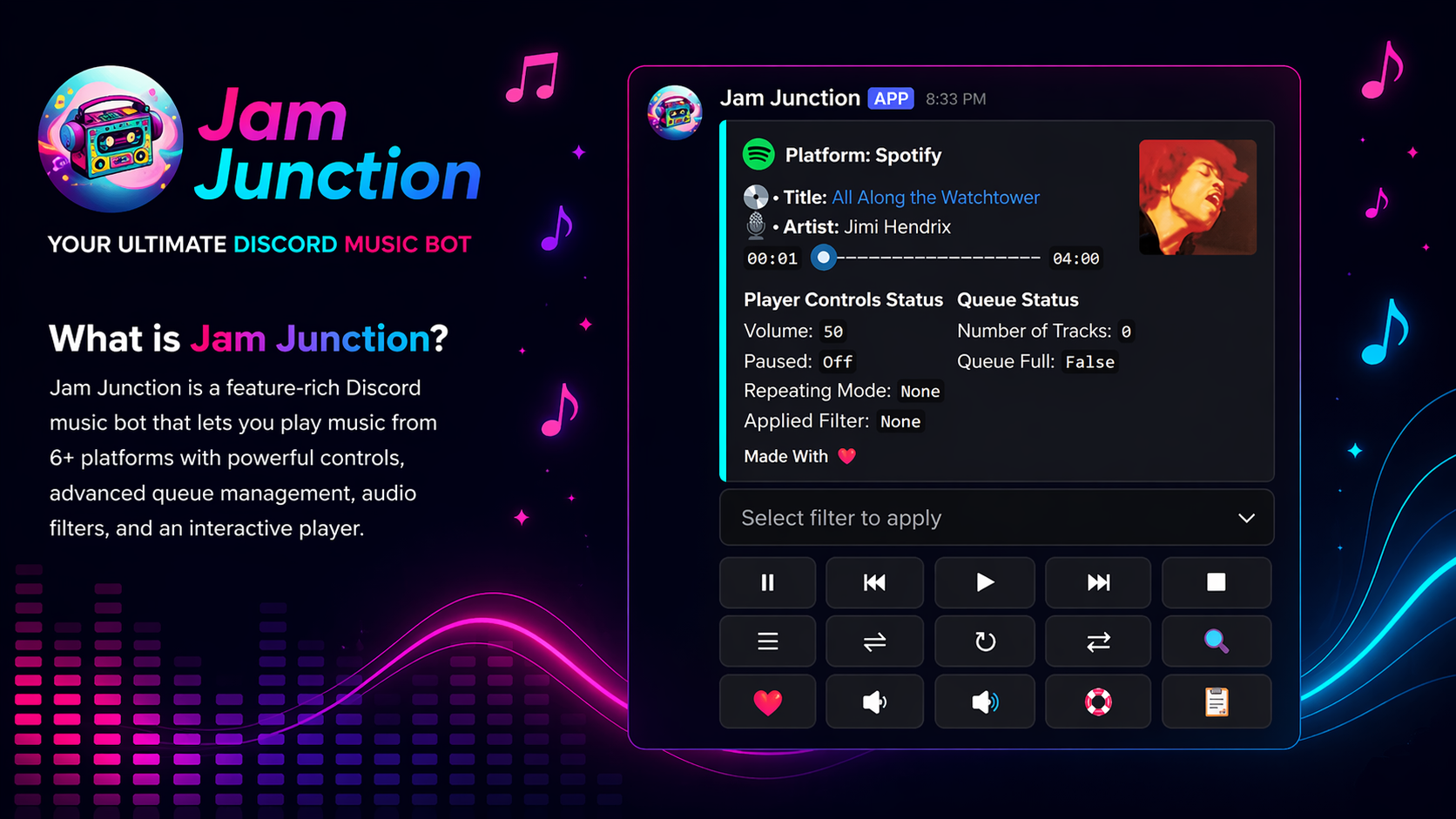
Jam Junction is a feature-rich Discord music bot built with DSharpPlus and Lavalink4NET. It supports multiple streaming platforms, full queue management, audio filters, repeat modes, and an interactive player with button controls — all within your Discord server.
Features
- 6 Supported Platforms — Spotify, YouTube, YouTube Music, Deezer, SoundCloud, Apple Music
- Full Queue Management — Add, remove, skip, shuffle, and paginate up to 100 tracks
- Previous Track Support — Navigate back through your playback history
- Seek & Position — Jump to any point in a track using hours, minutes, or seconds
- Audio Filters — Nightcore, 8D, Vaporwave, Karaoke, Slow Motion, and Reset
- Repeat Modes — None, Repeat Track, Repeat Queue
- Volume Control — Adjustable from 0 to 100
- Interactive Player — 15 button controls directly on the player embed
- AI Song Recommendations — An offline local LLM suggests a similar track after playback, ready to add to the queue with one click
- Synced Lyrics — Fetch time-synced lyrics for the current track, sourced from LRCLIB
- Personal Playlist — Like any track to save it to your DMs for later
- Help Menu — Built-in dropdown help system with categorized sections
Supported Platforms
- Spotify — Tracks ✅ · Albums ✅ · Playlists ✅
- YouTube — Tracks ✅ · Albums ❌ · Playlists ✅
- YouTube Music — Tracks ✅ · Albums ❌ · Playlists ✅
- Deezer — Tracks ✅ · Albums ✅ · Playlists ✅
- SoundCloud — Tracks ✅ · Albums ❌ · Playlists ✅
- Apple Music — Tracks ✅ · Albums ✅ · Playlists ✅
Commands
🎵 Music
/play— Queue a track by keyword or URL/pause— Pauses the current track/resume— Resumes the current track/stop— Stops the playback/restart— Restarts the current track/previous-track— Returns to the previously played track/skip— Skips to the next track in the queue/skip-to— Skips to the desired track in the queue/remove— Removes a track from the queue/shuffle— Shuffles the queue/view-queue— Displays what is currently in the queue/current-track— Shows details about the current track playing/lyrics— Shows lyrics for the current track/seek— Sets the position of the track/position— Gets the current track position/volume— Adjust the volume 0–100/filters— Change the audio filter for the player/repeating-mode— Change the repeating mode/leave— Disconnects the player
🛠️ Other
/help— Gives information about the bot & available commands/personal-playlist— Opens your personal playlist in the bot's DMs/ping— Will pong back to the server/caption— Give any image a caption
Player Controls
The interactive player embed includes 15 buttons across 3 rows.
Row 1 — ⏸ Pause · ⏮ Previous Track · ▶ Resume · ⏭ Skip · ⏹ Stop
Row 2 — ☰ View Queue · 🔉 Volume Down · 🔊 Volume Up · ↻ Restart · ⇄ Repeat
Row 3 — ⇌ Shuffle · ❤️ Like · 🛟 Help · 📋 Playlist · 🔍 Seek
⏮ is disabled when there is no playback history. 🔉 / 🔊 are disabled at min / max volume. ☰ and ⇌ are disabled when the queue is empty.
Tech Stack
- DSharpPlus 5.0.0 — Discord API wrapper
- Lavalink4NET 4.2.0 — Audio streaming
- Ollama — Local LLM powering AI song recommendations
- LRCLIB — Synced lyrics provider
- .NET 9
- Docker — Containerized deployment
Links
- 🤖 Invite Jam Junction
- ☕ Support on Ko-fi
- 🌊 DigitalOcean — great and affordable bot hosting
Langues
- English
Fonctionnalités
- Pricing Free
- Volume Control Yes
- Has Audio Filters Yes
Avis
Se connecter — Connectez-vous pour écrire un avis.
Pas encore d’avis — soyez le premier à partager votre expérience.
Statistiques de votes
Enregistrées sur cet annuaire au cours des 30 derniers jours.
30 derniers jours
- Votes
Aucun vote ici au cours des 30 derniers jours.


