
Over
One-time & recurring reminders with flexible timing and customizable options. Modern web dashboard & Discord interface.
What is Reminder Pro?
Reminder Pro is a powerful and easy-to-use Discord reminder bot that helps your server schedule and manage reminders for anything important.
Create simple reminders or advanced recurring schedules with flexible time formats and full customization.
---
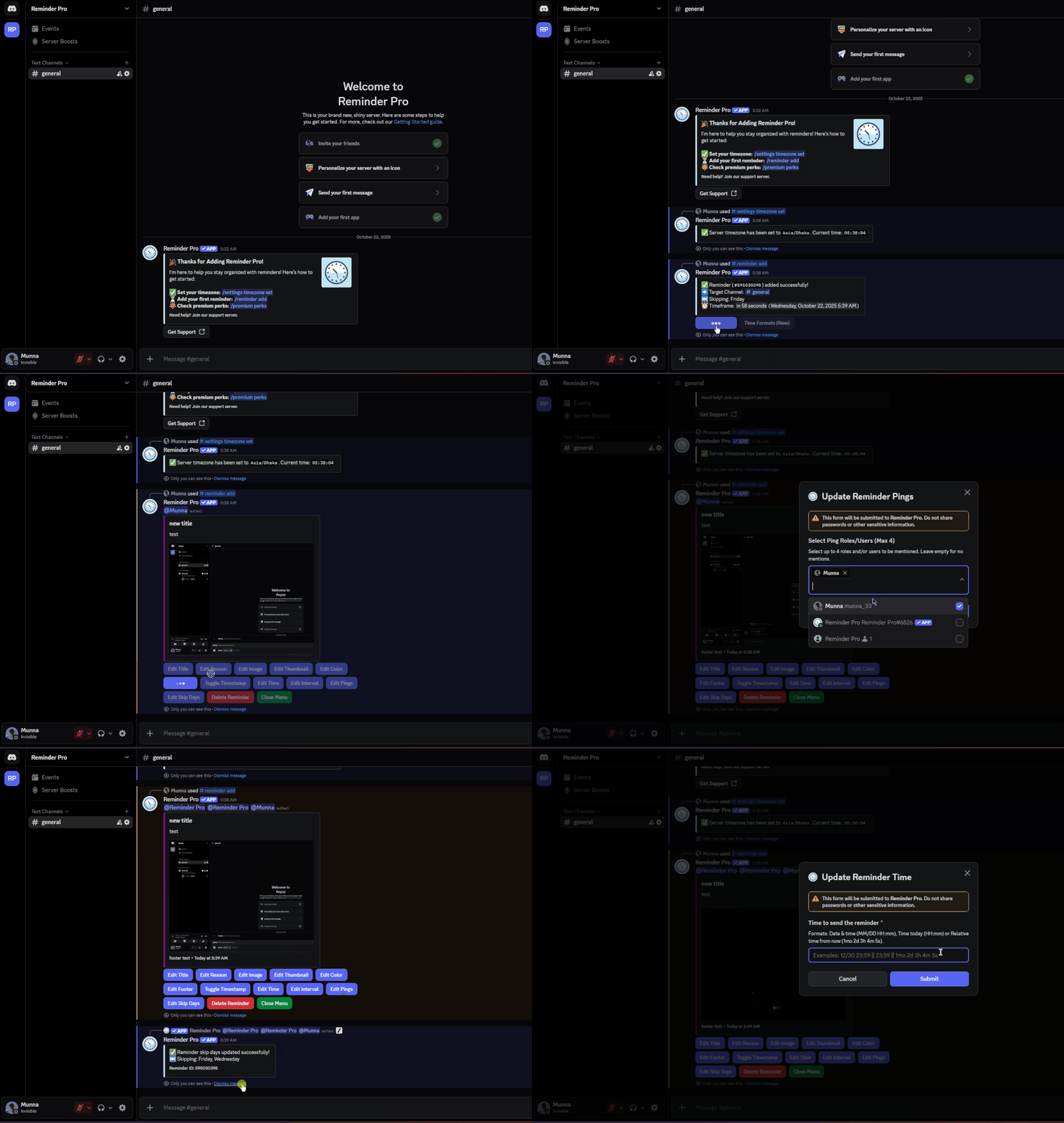
📺 See Reminder Pro in Action!
Here is a demo using / (slash) command. You can use dash.reminderpro.net for even easier interface!
---
Key Features
🧠 Smart Reminders
• Create one-time reminders using durations (2d 3h 15m) or exact dates
• Create recurring reminders (daily, weekly, monthly, yearly, or custom intervals)
• Custom repeat intervals including every 30 minutes or more
• Flexible time formats (3pm, monday 3pm, 12/30 23:59, durations, ISO timestamps)
• Set expiration dates to automatically stop reminders
• Skip specific days of the week (great for weekends or holidays)
• Automatically delete the previous message for recurring reminders
• Edit reminders anytime (time, channel, reason, and more)
• Pause and resume reminders individually or all at once
---
📨 Reminder Delivery & Customization
• Rich Discord embed reminders
• Customize title, description, color, images, thumbnails, footer, and timestamp
• Add custom message content with reminders (helpful for pings)
• Ping users or roles when reminders trigger
• Send reminders to text channels, announcement channels, VC text chats, or threads
---
🎨 Personalization
• Set a custom username and avatar for reminder messages
• Customize reminders to match your server's style and branding
---
🌍 Timezone & Time Management
• Set your server timezone once
• View your current timezone anytime
• Reminders automatically trigger at the correct local time
• Daylight Saving Time adjustment commands to shift reminders forward or backward
---
🛠️ Server Management
• Staff role system to allow trusted roles to manage reminders
• Control who can use reminder commands without giving manage server permissions
---
🌐 Web Dashboard
• Manage reminders and server settings from an easy-to-use web dashboard
• View, edit, and organize reminders directly from your browser
• Dashboard: https://dash.reminderpro.net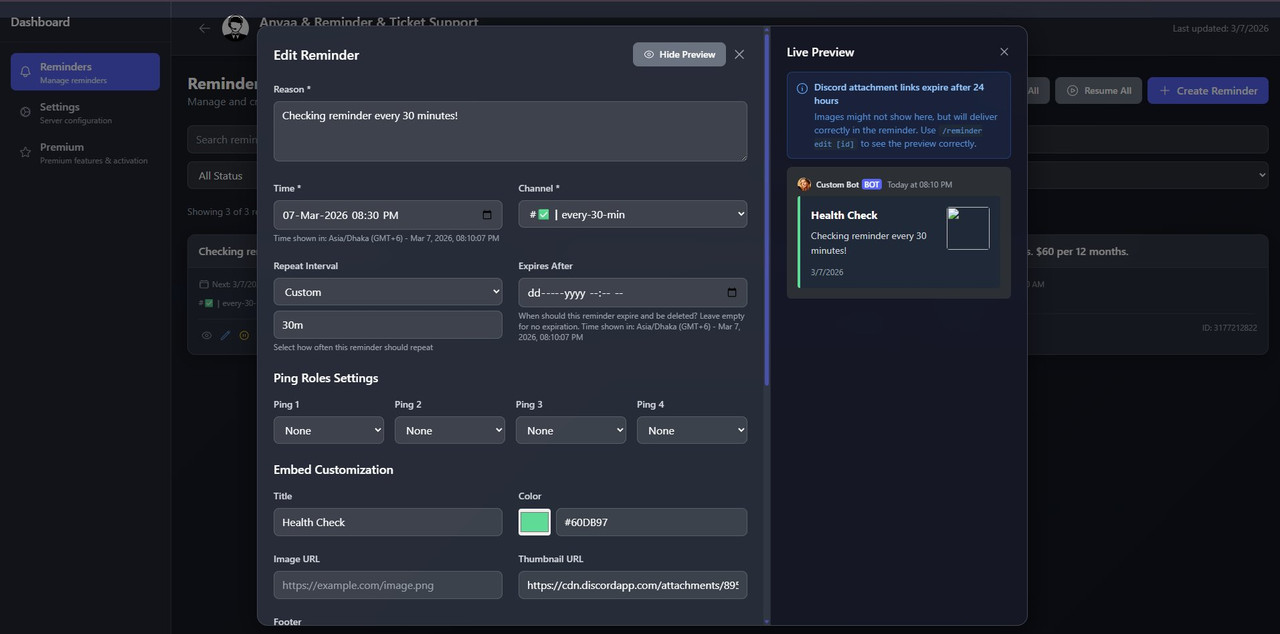
---
Join the Community
Talen
- English
Functies
- Pricing Free (optional paid extras)
- Web Interface Yes
Beoordelingen
Inloggen — Log in om een review te schrijven.
Nog geen reviews — wees de eerste die je ervaring deelt.
Stemstatistieken
Vastgelegd op deze gids in de afgelopen 30 dagen.
Laatste 30 dagen
- Stemmen
Geen stemmen hier in de laatste 30 dagen.


