
Om
Connect multiple servers, sync channels and bridge cross-server chat in real time. Create a multi‑server network for Discord communication
Everysync • Cross-Server Synchronization Bot-
Everysync
Connect multiple Discord servers into one cohesive network.
Everysync creates synchronization groups to replicate content across channels in real-time for seamless cross-server interchat.
10 languages now supported !
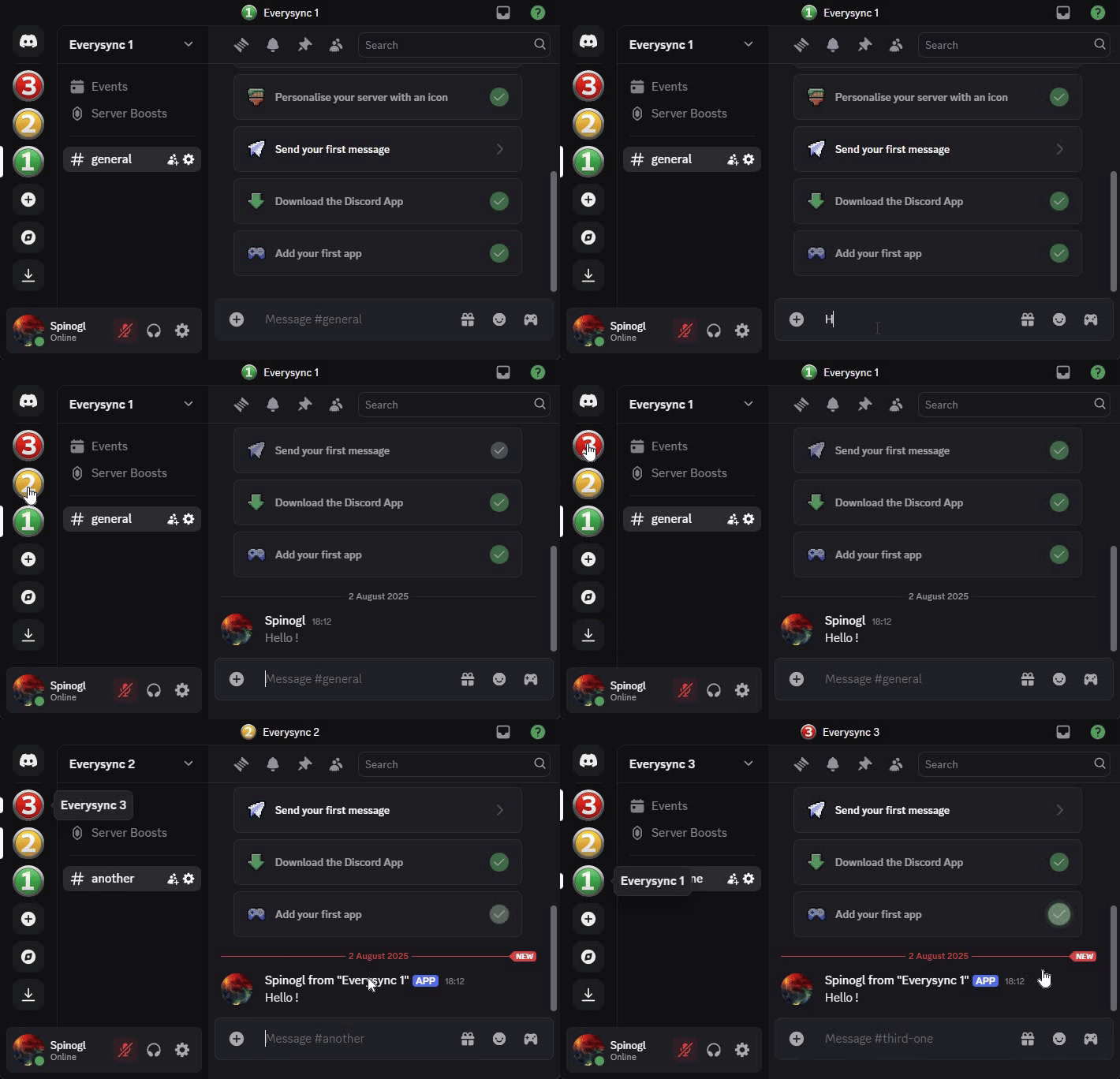
Message synchronization
Enjoy true interserver chat: Everysync synchronizes message creation, modification, and deletion events in real-time across every linked channel and server. It also replicates embeds, emojis, GIFs, attachments and voice messages.
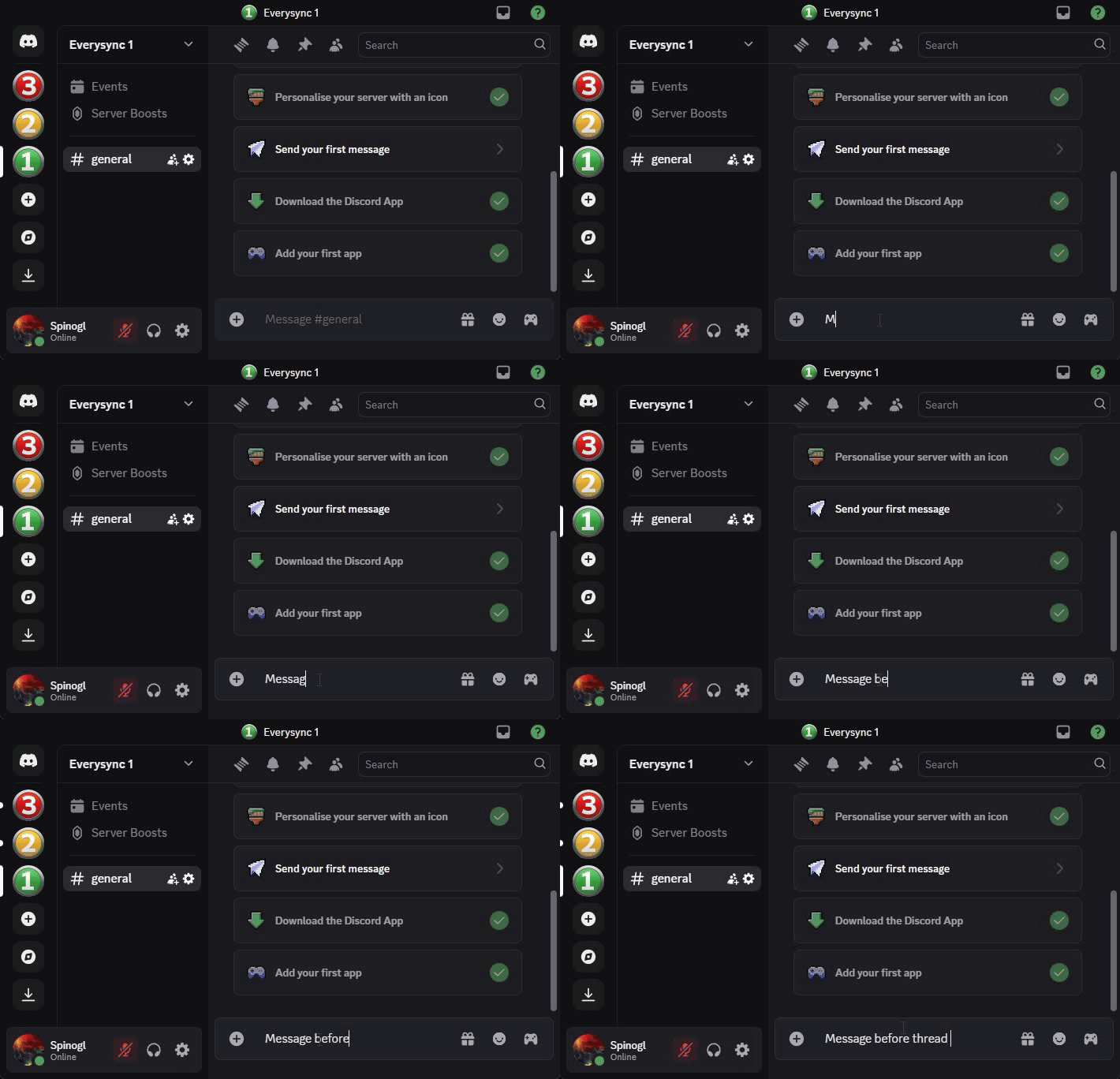
Thread synchronization
Keep discussions aligned: creation, modification, and deletion of threads across servers automatically, ensuring perfect cross-guild continuity.
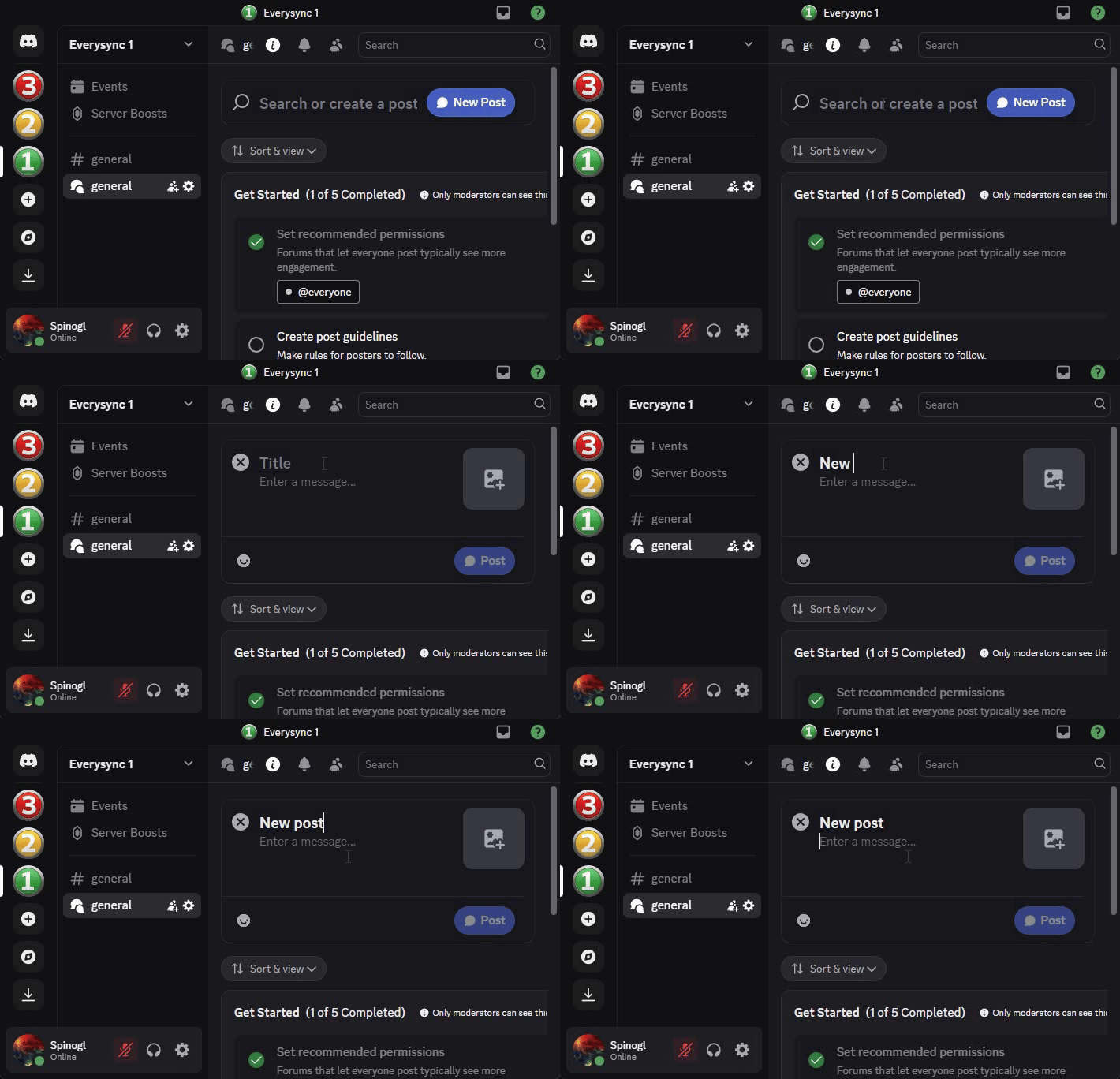
Forum channel synchronization
Manage forum posts seamlessly: creation, modification, and deletion of posts in real-time for unified visibility.
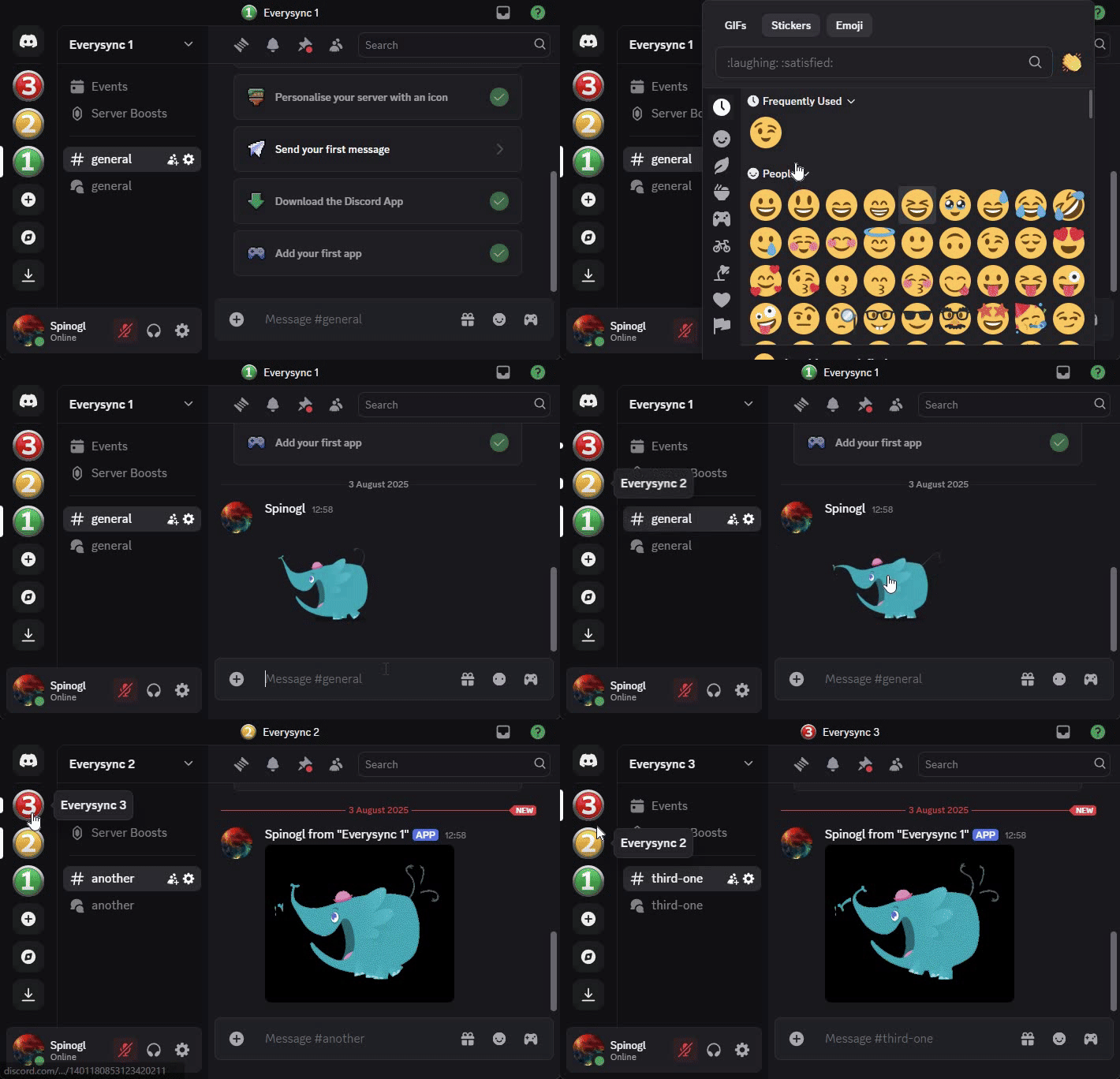
Sticker synchronization
Share and remove your favorite stickers: creation and deletion of stickers are mirrored instantly across servers.
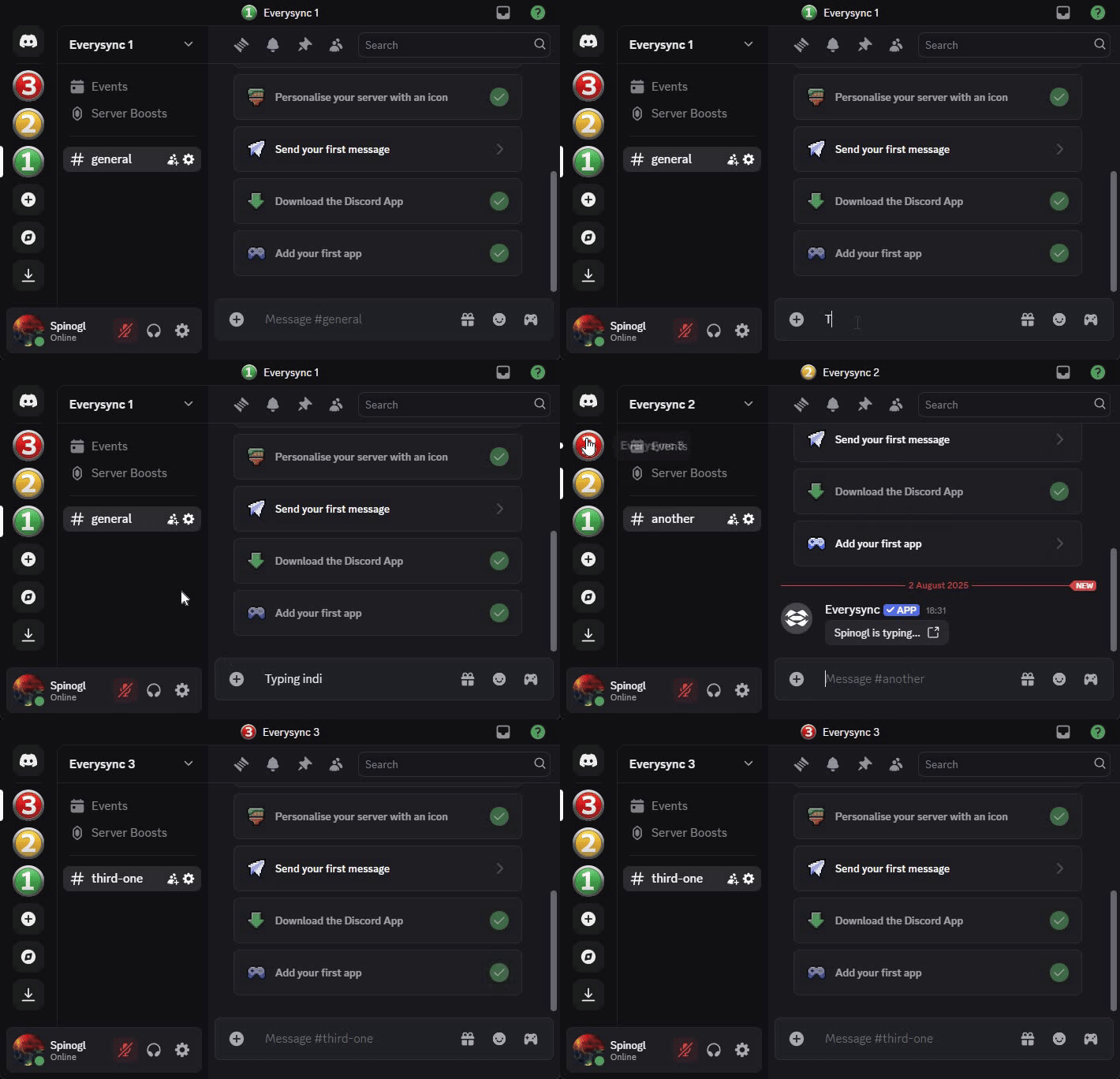
Typing indicator synchronization
Maintain flow: creation and deletion of typing indicator events across all linked channels for a smooth multi-server experience.
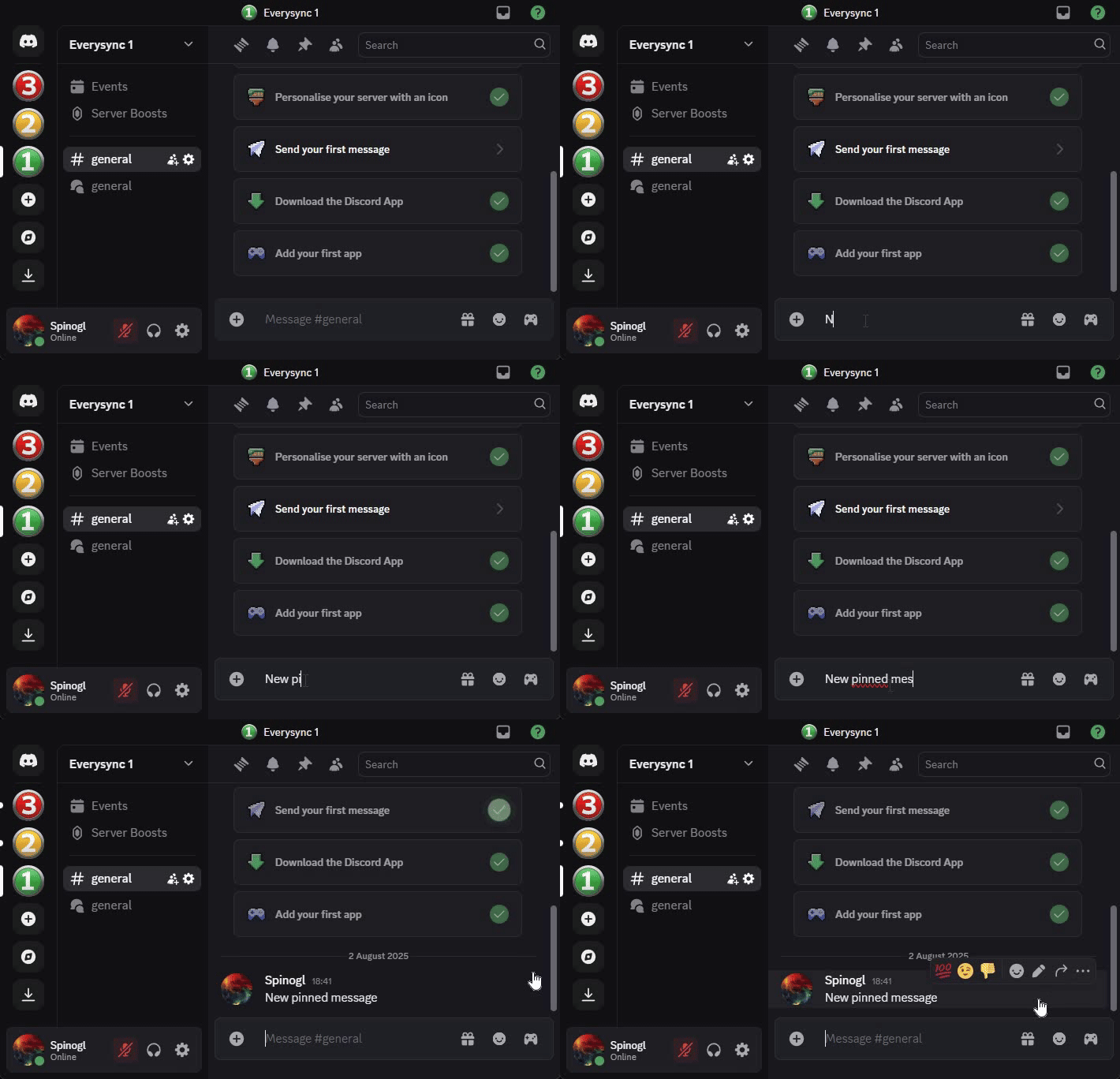
Pin & unpin synchronization
Never miss an important message: pin and unpin in text channels or forum posts applied across all servers, keeping your interchat consistent.
And more
Configure your synchronization groups with ease: ban servers or ban users to restrict access, enable one-way synchronization for controlled message flow, and import existing forum posts directly into your sync channels.
Get started
Ready to revolutionize your cross-server communication?
Invite EverysyncUse /setup to begin configuring the bot.
Show commands
Configuration of the bot:
/help– get information about the bot/setup [uuid]– start or resume guided setup/setlanguage– set the bot language
Configuration of synchronizations:
/group create [Password]– create a sync group/group delete– delete a sync group/group join [Password]– join a sync group/group leave– leave a sync group/group edit– rename a group or change its password/group setowner– assign a new owner to a group/group addchannel– add a channel to a group/group removechannel– remove a channel from a group/group set-unidirectional– lock a channel for one-way synchronization/group unset-unidirectional– disable one-way synchronization/group banserver [Reason]– ban a server from a group/group unbanserver– unban a server from a group/group banuser [Reason]– ban a user from a group/group unbanuser– unban a user from a group/group banlist– list banned users and servers/group info [GroupName]– display bot or group statistics/group infochannels– list synchronized channels and keys/group iswriting– toggle typing indicator sync/group setmessagetype– choose embed or text format/group syncbot– toggle bot message sync/group showserverwithusername– show or hide server name before usernames/group importposts– import forum posts
Bot management:
/setchangelogchannel– choose a channel for changelog and warnings/getserverbymessage– fetch the server ID of a source message/getuserbymessage– fetch the user ID of a source message's author/getgroupbymessage– fetch the group linked to a message/channelinfo– list all groups synchronizing a channel
Språk
- Deutsch
- English
- Español
- Français
- हिन्दी
- 日本語
- 한국어
- Português (Brazil)
- Русский
- Türkçe
Funksjoner
- Pricing Free (optional paid extras)
- Web Interface Yes
Anmeldelser
Logg inn — Logg inn for å skrive en anmeldelse.
Ingen anmeldelser ennå — bli den første til å dele opplevelsen din.
Stemstatistikk
Registrert i denne katalogen de siste 30 dagene.
Totaler totalt kan inneholde stemmer fra andre kataloger. Grafen viser bare stemmer på dette nettstedet.
Siste 30 dager
- Stemmer
Ingen stemmer her de siste 30 dagene.