
Om
Game server statistics and Notification system for Minecraft and Steam Servers. Track and Monitor Live Game Server data.

Features
- Fetch data from Minecraft and Steam server's.
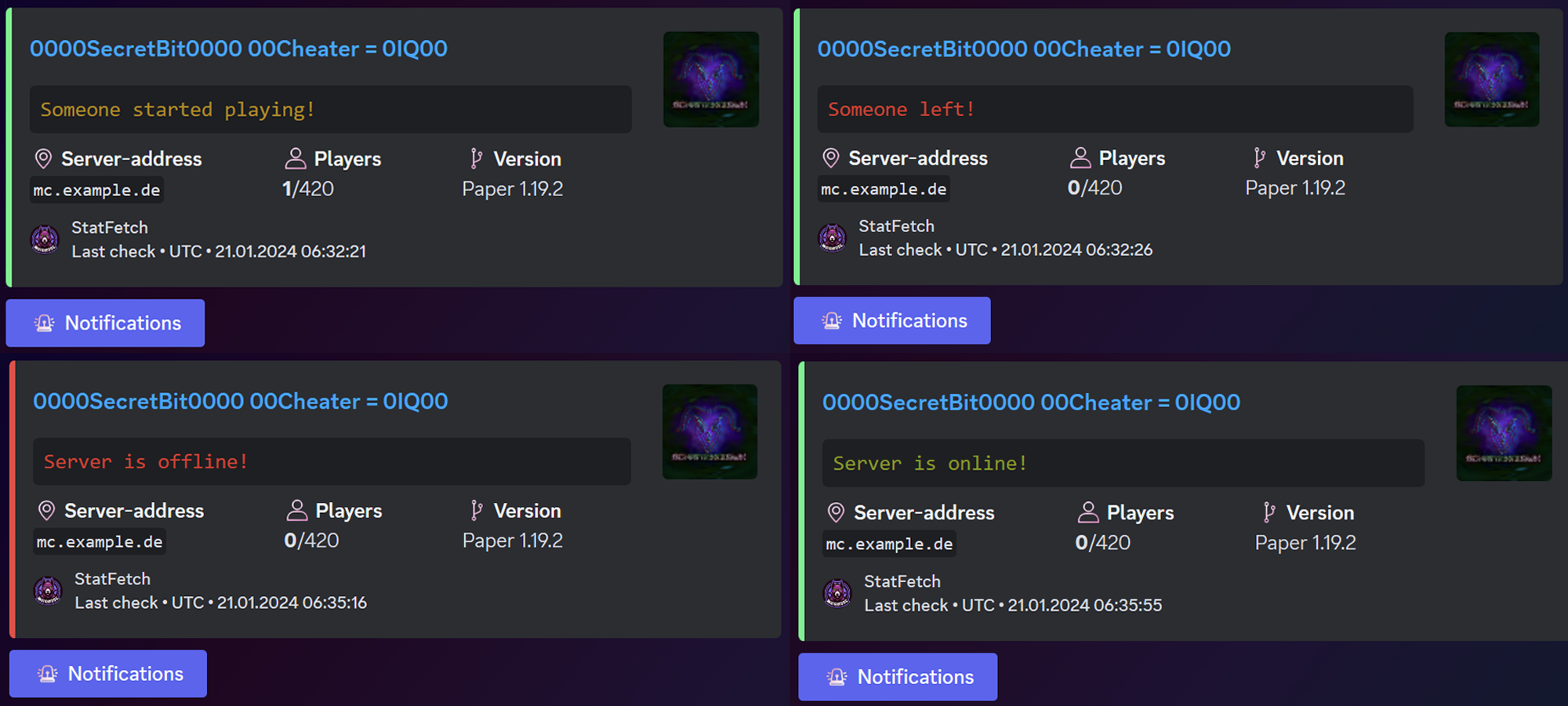
- Notify users if the server goes offline, online, players start or stop playing.
- Keep track of data such as maximum players and Uptime.
- Join Button for Steam server's that allows Users to connect.
Showcase
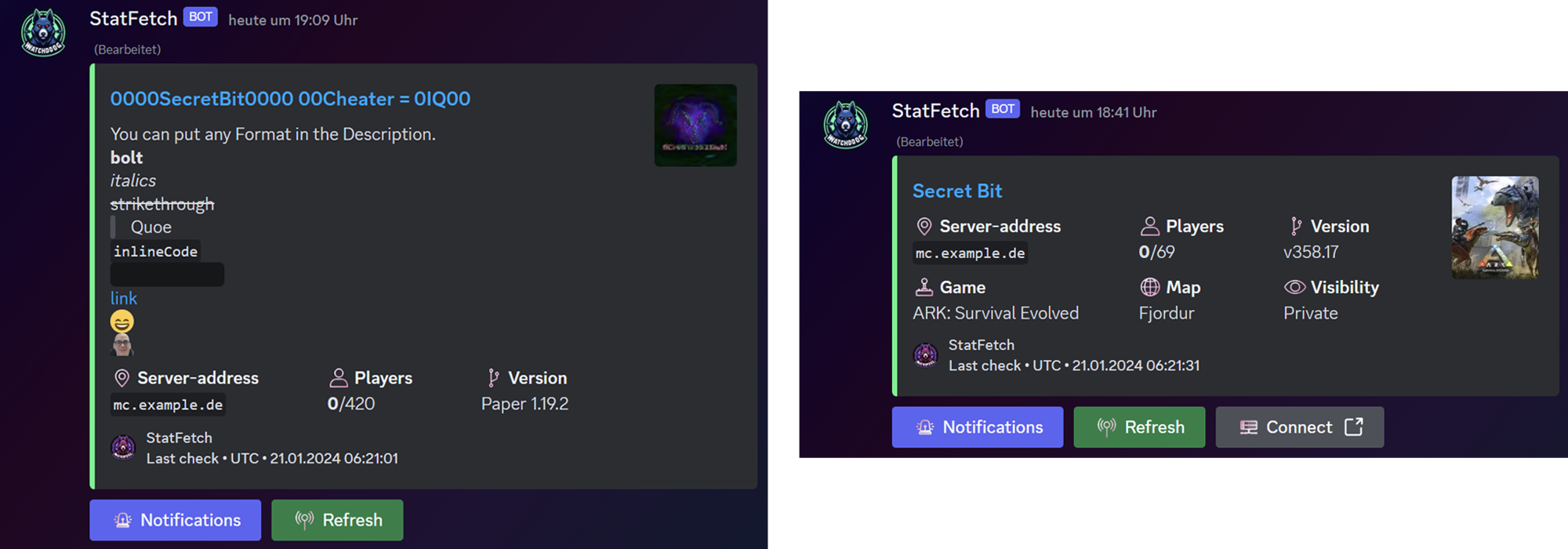
Dashboard
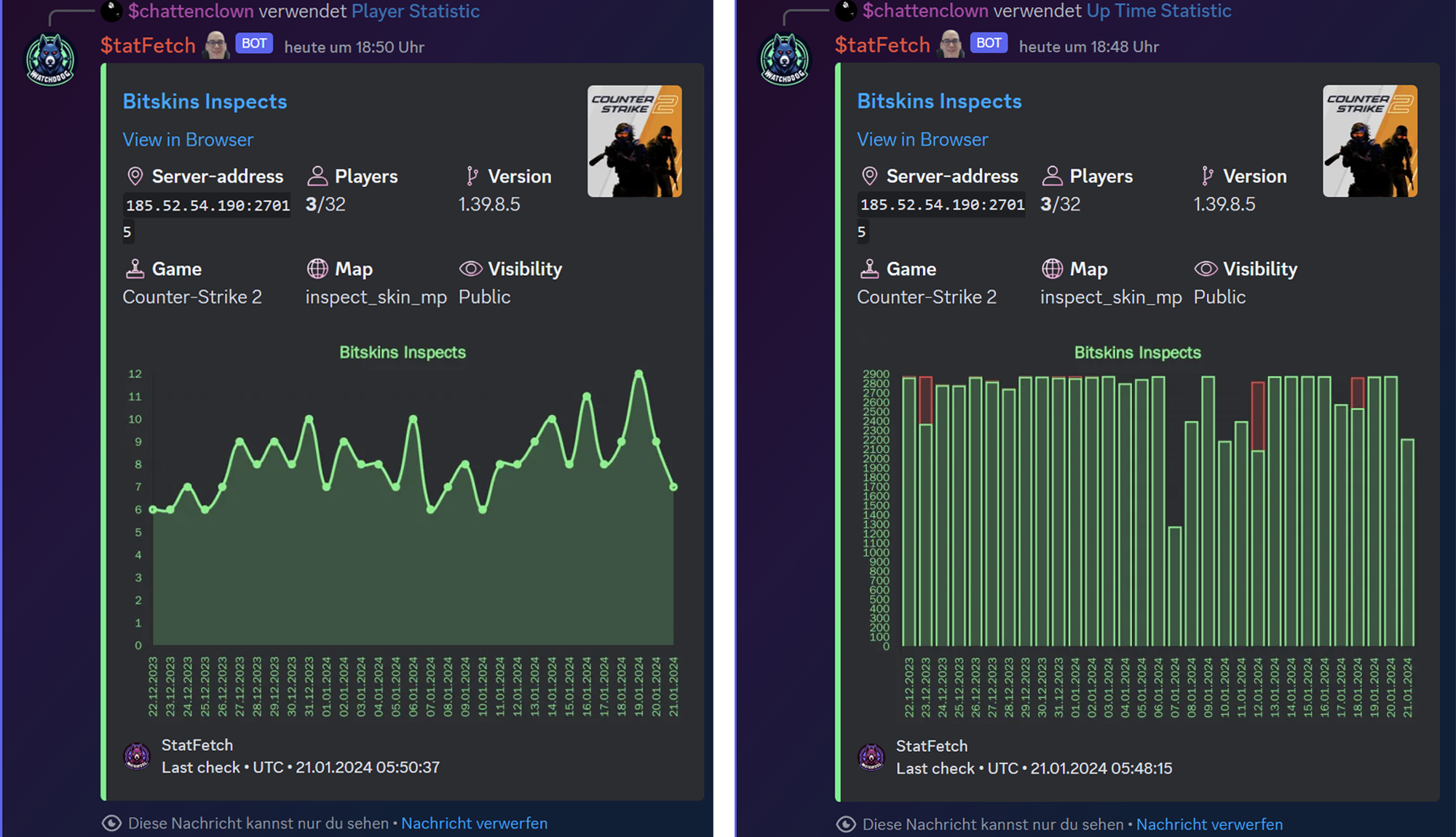
Player and Uptime Statistics
Notifications
Usage/Examples/Setup
Click here to show the details!
1. Call the add command.

2. Select the Server type.

3. Give the Server Configuration a Name.

4. Enter an IP or Domain name.

5. Enter the Game port.

6. If you wish, you can add a Description.

7. If you click the Add a Description Button, this Edit View will open.

Manage
Click here to show the details!
1. To manage your Server Configurations, you can either call the command /configurations manage or Right-click on a Server Configuration → Apps → Manage.

2. Here you can click through your Configurations, or select a Configuration from the Dropdown Menu. This is for Deletion and editing.

Statistics
1. To show the Server Statistics, Right click → Apps → Statistics.

2. The Player Statistics from the last 30 Days show up.


Notification Options.
Click here to show the details!
The Bot checks every Server every Second, and sends the Notifications if anything changed.
Option | Function
--- | ---
OnFreeSlot | When Player slots get free (70/70) Players → (69/70) Players
OnFirstPlayer | When one Player starts playing (0/70) Players → (1/70) Players
OnlineOffline | The Server goes Offline or Online
FullSpam | everything above plus every joined and leaving Player
Subscribe to a Server, to get Notifications.
1. Click Notification on the Dashboard (Message).

2. Click Edit Notification in your Private Messages.

3. Click on the Stuff you want to get notified.

4. Or unsubscribe from it.

Limitations
Click here to show the details!
Due to the Discord-API's Limitations, the Bot can only update a Dashboard (Message) every 5 Seconds if the Message is Older than one hour. Because of this, the Bot will only edit and update one Dashboard (Message) every 5 Seconds, if you set up 5 Servers, it will take 5 x 5 = 25 Seconds until one Rotation is done.
Authors
Click here to show the details!
Feedback/Support
Click here to show the details!
If you have any feedback, please reach out to me on Discord @schattenclown or join the Discord Server Invite link
Roadmap
Click here to show the details!
- Uptime Statistics
Tech Stack
Click here to show the details!
Language: C#, Entity Framework
Library: DisCatSharp
Database: MSSQL Server 2022
Server: Windows Server Datacenter 2022
Språk
- English
Anmeldelser
Logg inn — Logg inn for å skrive en anmeldelse.
Ingen anmeldelser ennå — bli den første til å dele opplevelsen din.
Stemstatistikk
Registrert i denne katalogen de siste 30 dagene.
Siste 30 dager
- Stemmer
Ingen stemmer her de siste 30 dagene.