
Hakkında
Level up engagement with instant auto-reactions to every message. Powerful filters. Zero effort setup.

⚡ Reactify: Automatic Emoji Reactions
Give your server a pulse. Reactify automatically adds emoji reactions to messages based on smart rules: react to everything, only media, only links, or only when a specific word, phrase, @user, @role, or #channel is mentioned. Works in text channels, announcement channels, forums, and threads.
---
✨ What Reactify Does
- 🎯 Smart Triggers: React to all messages, only media (images/videos/GIFs), only links, or media + links.
Add keyword triggers to react only when a message contains a specific word, phrase, @user, @role, or #channel mention.
- 📌 Forum First-Post Only: Forum channels automatically get "first post only" mode: reactions appear on new posts, not on every reply. Toggle it off anytime.
- 🌐 Forum & Thread Support: Full support for Forum channels, Threads, and Announcement channels. Rules on parent channels inherit into threads.
- ✏️ Edit Rules Inline: Change emojis, channels, filters, or forum mode on any existing rule. No need to delete and recreate.
- ⏸️ Pause & Resume: Temporarily disable any rule without deleting it.
- 🛡️ Admin Delegation: Let specific roles manage rules using
/autoreaction-admin. No need to hand out Manage Server permissions. - 🔒 Role Control: (Premium) Whitelist or Blacklist specific roles and members per rule. Blacklist always wins conflicts.
- 🗑️ Clear All: Wipe all rules at once with a two-step confirmation.
- 🧹 Auto-Cleanup: Emojis that Discord removes or invalidates are automatically cleaned from your rules.
---
🚀 See it in Action
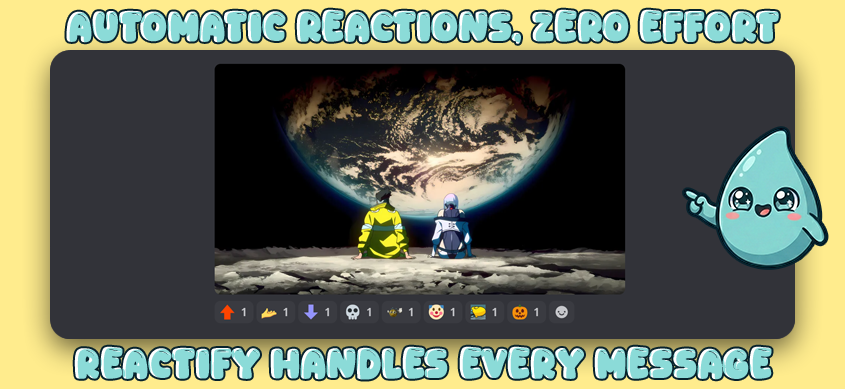
Beautiful, instant reactions that make your channels look active.
---
🛠️ Set Up in 30 Seconds
Forget complex dashboards. Everything happens inside Discord using modern slash commands and interactive menus.
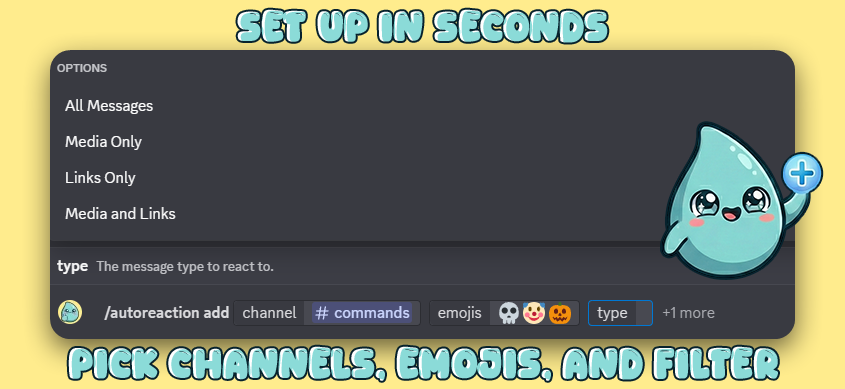
Pick your channels, choose your emojis, and select a filter.
How to start:
- Run
/autoreaction add - Pick Channels: Select as many as you want in one go — including forums.
- Enter Emojis: Standard and custom server emojis supported.
- Select Filter: Choose between All, Media, Links, or Media + Links.
- Forum channels automatically get first-post-only mode.
---
📂 Effortless Management
Keep your server organized without the headache. Reactify gives you an interactive dashboard to manage all your rules.
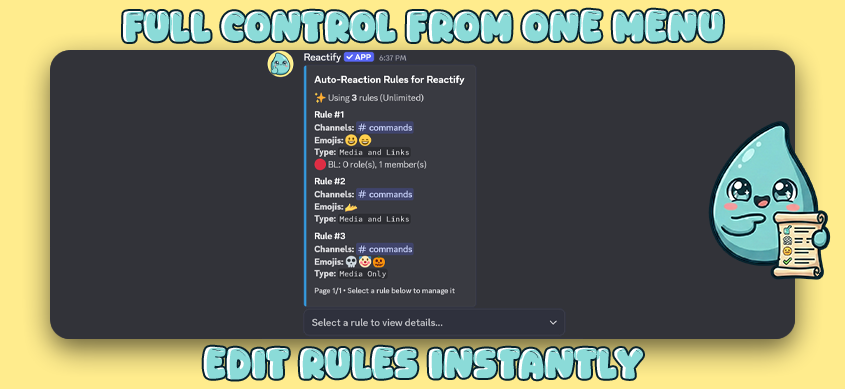
View, edit, pause, and manage all your active rules instantly.
Interactive Rule List
- Select any rule to see full details — channels, emojis, keywords, whitelist/blacklist status.
- Change filters, channels, and forum mode directly from the detail view. No commands needed.
- Permission warnings (⚠️) flag channels where the bot can't react.
- Visual indicators: 🟢 whitelist · 🔴 blacklist · 📌 forum opener · ⏸ paused.
---
🔑 Keyword Triggers
React only when a message matches specific triggers — not just plain words.
- Words & Phrases:
hello,good morning,c++(smart word-boundary matching, case-insensitive). - @User Mentions: React only when a specific user is mentioned in the message.
- @Role Mentions: React only when a specific role is mentioned.
- #Channel Mentions: React only when a specific channel is mentioned.
Mix and match: one rule can have text keywords AND mention triggers. Only messages matching at least one trigger get reactions.
---
💎 Free vs. Premium
Core (Free)
- ✅ 3 Active Rules
- ✅ 3 Emojis per rule
- ✅ 3 Keywords per rule (words, phrases, @user, @role, #channel)
- ✅ Unlimited Channels per rule
- ✅ All Filter Types (Media, Links, etc.)
- ✅ Forum First-Post Only (auto-enabled)
- ✅ Pause / Resume / Edit Rules
Premium ($3.99/mo)
- 🚀 50 Active Rules
- 🚀 10 Emojis per rule
- 🚀 10 Keywords per rule
- 🚀 Role & Member Whitelist/Blacklist (10 each per rule)
- 🚀 Priority Support
Ready to unlock the full potential? Type /premium in your server to upgrade via the official Discord App Shop.
---
🔗 Links
Diller
- English
Yorumlar
Giriş yap — Yorum yazmak için giriş yap.
Henüz inceleme yok — deneyimini paylaşan ilk kişi ol.
Oy istatistikleri
Bu rehberde son 30 günde kaydedildi.
Son 30 gün
- Oylar
Son 30 günde burada oy yok.


