
소개
Notify your Discord when a Streamer goes live on Twitch
Twitch Only!
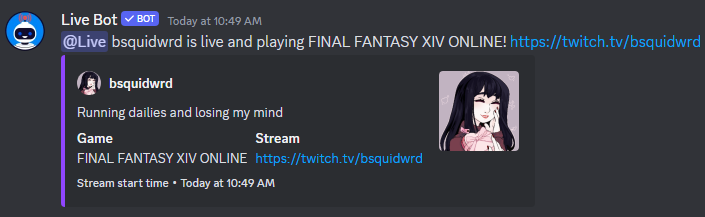
Start Monitoring a Stream
- Run
/perm-checkto have the Bot run a check for permissions.
- Start setting up a monitor
/monitor create profile-url:https://twitch.tv/bsquidwrd where-to-post:#live role-to-mention:@everyone
- If you want to customize the live message (see below for parameters), add in the
live-messagepart of the slash command (can always edit this later too)
- That's it!
Stop Monitoring a Stream
- Run
/monitor delete profile-url:https://twitch.tv/bsquidwrd
- That's it!
List Streams that are being monitored
/monitor list
Check if the Bot sees a Stream as Live
/monitor check profile-url:https://twitch.tv/bsquidwrd
Get a link to my Support Server
/help
Message Parameters
The below parameters will be replaced at the time of Notification
{role}= The role that you setup to be pinged (if applicable)
{name}= The display name of the Streamer
{game}= Game being played at the time of going live
{url}= Link to the stream
{title}= Stream title at the time of going live
언어
- English
기능
- Pricing Free
리뷰
로그인 — 리뷰를 작성하려면 로그인하세요.
아직 리뷰가 없습니다 — 첫 번째로 경험을 공유해 보세요.
투표 통계
이 가이드에서 지난 30일 동안 기록된 수치예요.
3
이번 달 투표
3
누적 투표
0
최근 7일
0
고유 투표자 · 30일
누적에는 다른 가이드에서 가져온 투표가 포함될 수 있어요. 그래프는 이 사이트의 투표만 보여 줘요.
최근 30일
- 투표
최근 30일 동안 여기 투표가 없어요.


