
O serveru
TempVoice creates voice channels that are temporary, managed by the user who created them, and only exist as long as the channel is in use.
Website & Dashboard: https://tempvoice.xyz/
Documentation: https://easy.tempvoice.xyz/
What's a Temporary Channel?
It is a voice channel, but only temporary and managed by the user who created it. This means that the channel only exists as long as someone is in it and that you no longer have empty voice channels on your Discord server which just taking up space.
How do I setup TempVoice?
Visit the bot's dashboard to configure TempVoice and use /setup to create all the necessary channels such a ➕ Creator Channel & ✨ Interface Message.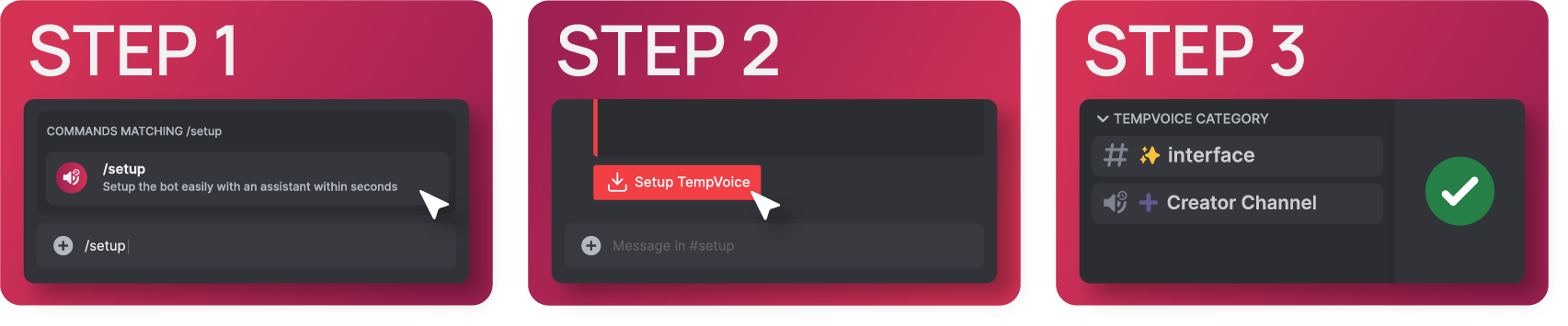
Create Your First Temporary Channel!
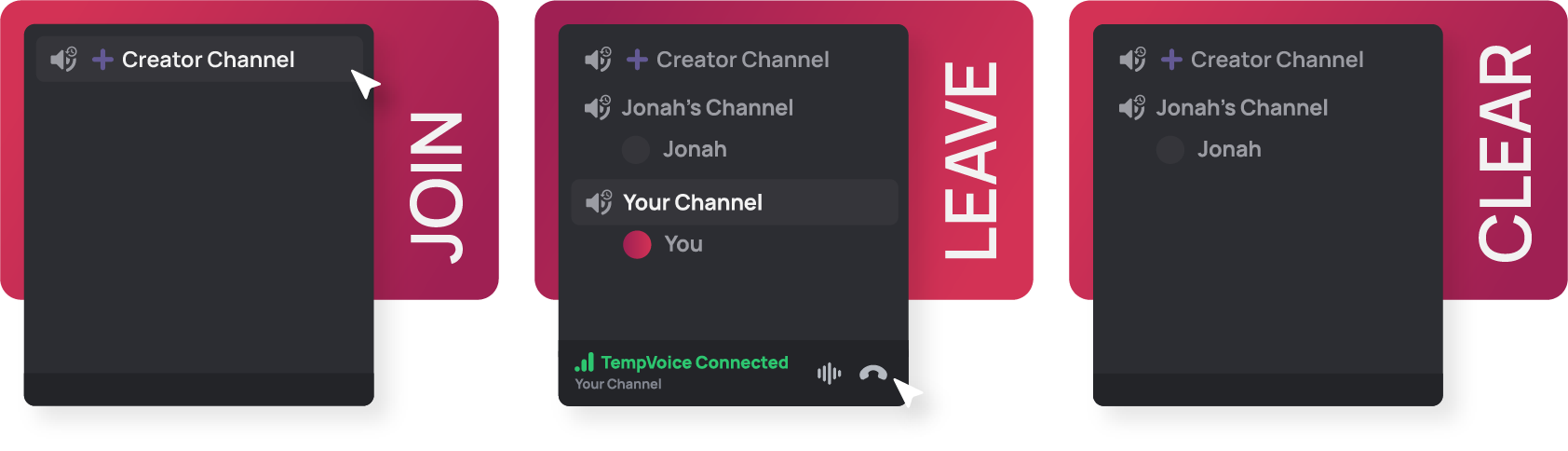
Join a ➕ Creator Channel (voice channel) and the bot will move you into your new channel. Manage your temporary channel by using /voice slash commands or a ✨ Interface Message to edit the name, user limit and permissions of your channel.
Jazyky
- English
- Deutsch
- Türkçe
- Français
- Español
- 한국어
- Italiano
- Polski
- Português (Brazil)
- Hebrew
- Lithuanian
- Русский
Funkce
- Pricing Free (optional paid extras)
- Web Interface Yes
- Audit Logs Yes
Recenze
Přihlásit se — Přihlaste se, abyste mohli napsat recenzi.
Zatím žádné recenze — buďte první, kdo se podělí o zkušenost.
Statistiky hlasů
Zaznamenáno v tomto katalogu za posledních 30 dní.
Zobrazené součty mohou zahrnovat importované hlasy a administrativní úpravy. Graf ukazuje záznamy hlasů na tomto webu včetně automatických.
Posledních 30 dní
- Hlasy
Za posledních 30 dní tu nejsou žádné hlasy.


