
概要
TempVoice creates voice channels that are temporary, managed by the user who created them, and only exist as long as the channel is in use.
Website & Dashboard: https://tempvoice.xyz/
Documentation: https://easy.tempvoice.xyz/
What's a Temporary Channel?
It is a voice channel, but only temporary and managed by the user who created it. This means that the channel only exists as long as someone is in it and that you no longer have empty voice channels on your Discord server which just taking up space.
How do I setup TempVoice?
Visit the bot's dashboard to configure TempVoice and use /setup to create all the necessary channels such a ➕ Creator Channel & ✨ Interface Message.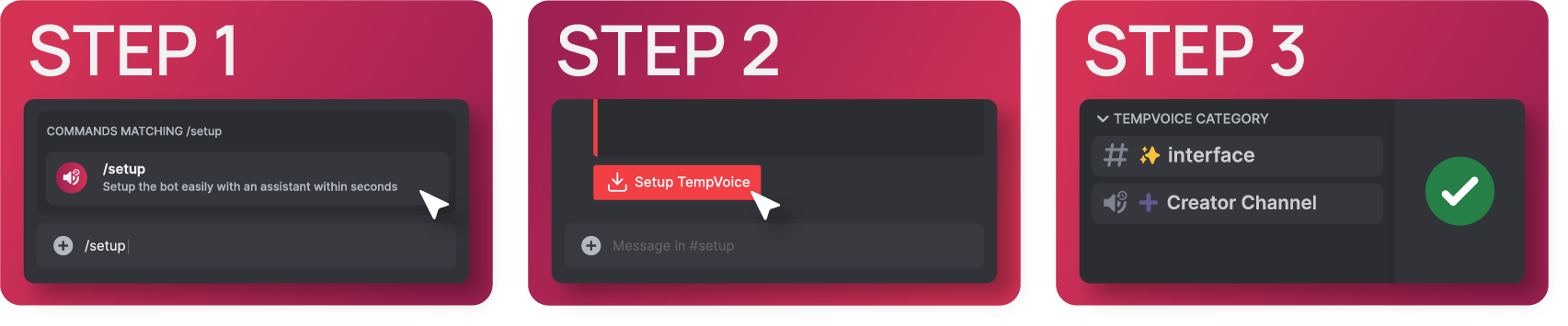
Create Your First Temporary Channel!
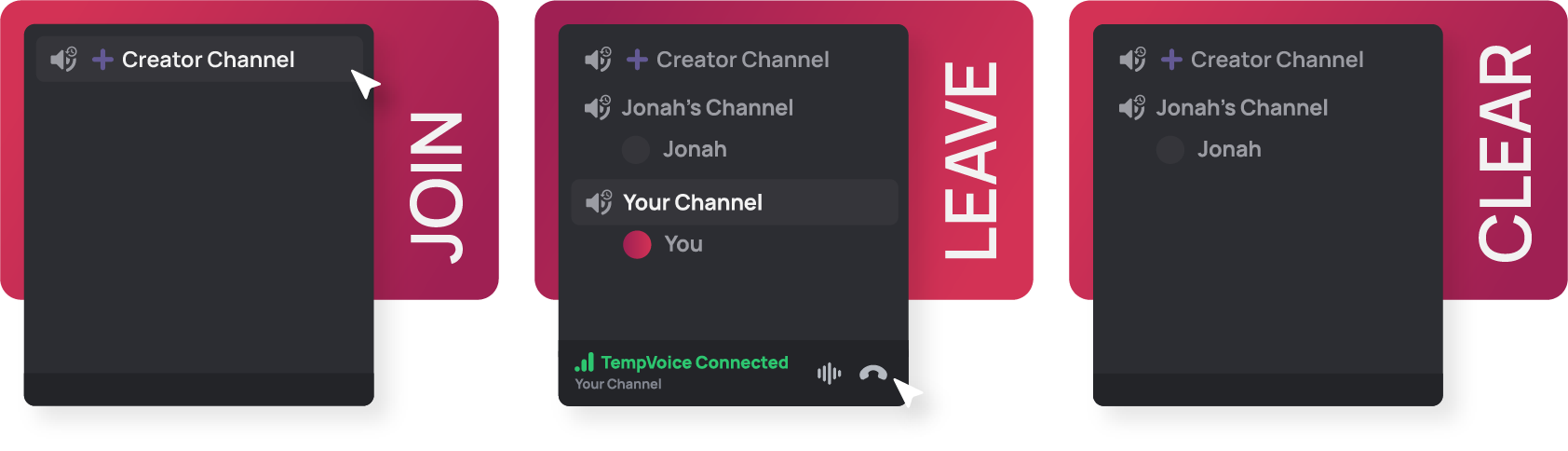
Join a ➕ Creator Channel (voice channel) and the bot will move you into your new channel. Manage your temporary channel by using /voice slash commands or a ✨ Interface Message to edit the name, user limit and permissions of your channel.
言語
- English
- Deutsch
- Türkçe
- Français
- Español
- 한국어
- Italiano
- Polski
- Português (Brazil)
- Hebrew
- Lithuanian
- Русский
機能
- Pricing Free (optional paid extras)
- Web Interface Yes
- Audit Logs Yes
コミュニティレビュー
ログイン — レビューを書くにはログインしてください。
まだレビューがありません — 最初に体験を共有しましょう。
投票の統計
このガイドで過去30日間に記録されたものです。
累計にはほかのガイドからの投票が含まれることがあります。グラフはこのサイトでの投票のみです。
過去30日間
- 投票
過去30日間、ここでの投票はありません。


