
소개
TempVoice creates voice channels that are temporary, managed by the user who created them, and only exist as long as the channel is in use.
Website & Dashboard: https://tempvoice.xyz/
Documentation: https://easy.tempvoice.xyz/
What's a Temporary Channel?
It is a voice channel, but only temporary and managed by the user who created it. This means that the channel only exists as long as someone is in it and that you no longer have empty voice channels on your Discord server which just taking up space.
How do I setup TempVoice?
Visit the bot's dashboard to configure TempVoice and use /setup to create all the necessary channels such a ➕ Creator Channel & ✨ Interface Message.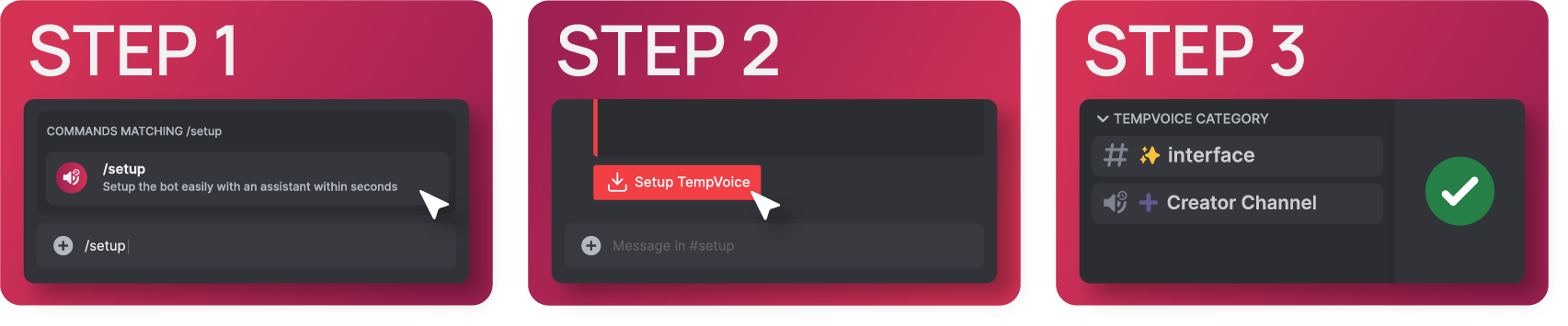
Create Your First Temporary Channel!
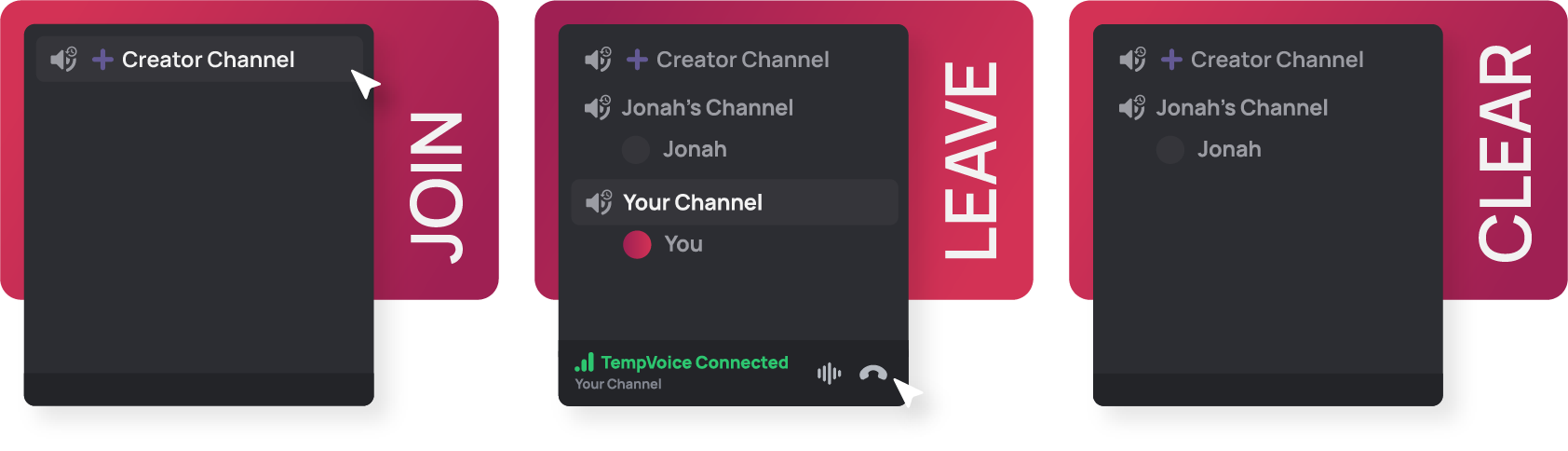
Join a ➕ Creator Channel (voice channel) and the bot will move you into your new channel. Manage your temporary channel by using /voice slash commands or a ✨ Interface Message to edit the name, user limit and permissions of your channel.
언어
- English
- Deutsch
- Türkçe
- Français
- Español
- 한국어
- Italiano
- Polski
- Português (Brazil)
- Hebrew
- Lithuanian
- Русский
기능
- Pricing Free (optional paid extras)
- Web Interface Yes
- Audit Logs Yes
리뷰
로그인 — 리뷰를 작성하려면 로그인하세요.
아직 리뷰가 없습니다 — 첫 번째로 경험을 공유해 보세요.
투표 통계
이 가이드에서 지난 30일 동안 기록된 수치예요.
누적에는 다른 가이드에서 가져온 투표가 포함될 수 있어요. 그래프는 이 사이트의 투표만 보여 줘요.
최근 30일
- 투표
최근 30일 동안 여기 투표가 없어요.


